






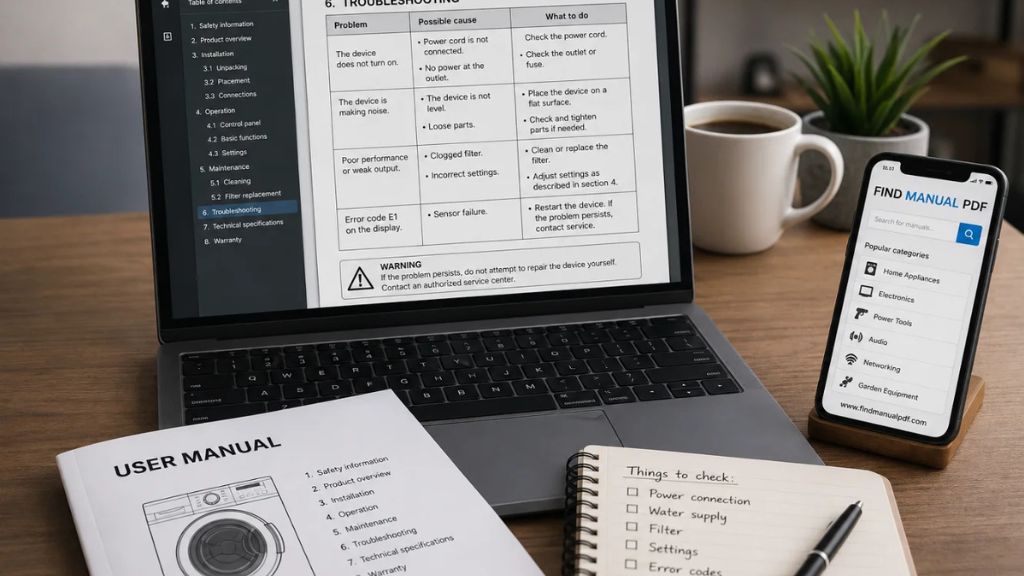
In a world full of quick video tutorials, short online answers, and social media tips, product manuals may seem old-fashioned. Many people open a new device, put the manual aside, and try to figure everything out on their own. Sometimes that works. But when a device shows an error code, refuses to start, connects incorrectly, overheats, leaks, loses power, or behaves differently than expected, the official manual often becomes the most reliable place to begin.
A good manual is not just a booklet with basic instructions. It is a structured guide that explains how a product is designed to be installed, operated, cleaned, maintained, stored, and troubleshot. It can also include safety warnings, technical specifications, wiring diagrams, part names, recommended accessories, error descriptions, warranty limitations, and service notes. For users, this information can save time, prevent damage, and help decide when a problem can be handled at home and when professional help is needed.
The manual is part of the product
Many users think of a manual as something separate from the product, but it should be treated as part of the product itself. When a manufacturer creates a device, it also defines how the device should be used safely. This is especially important for appliances, power tools, networking devices, heating systems, air conditioners, solar panels, audio equipment, garden machines, chargers, and battery-powered products.
Without the correct manual, a user may guess the wrong setting, use the wrong accessory, ignore a warning, or misunderstand a symbol on the display. These small mistakes can lead to poor performance, unnecessary frustration, shortened product life, or even safety risks. Reading the right section of the manual before using a device is often faster than trying several random solutions.
Start with the exact model, not only the brand
Sports version
The first step in finding a useful manual is identifying the exact model. A brand name alone is rarely enough. A company may produce dozens of similar-looking devices with different functions, specifications, and installation requirements. Two appliances may look almost identical from the outside, but use different filters, different reset procedures, different batteries, or different error codes.
Look for the model number on the rating plate, product label, bottom cover, back panel, battery compartment, packaging, invoice, warranty card, or system information menu. Copy the full code exactly as it appears. Letters, numbers, hyphens, slashes, and suffixes matter. If you search for a shortened model name, you may find a document for a different version of the product.
Use a structured PDF manual database
Searching the open web can be messy. Some pages may contain outdated files, broken links, misleading download buttons, or documents that only partially match the device. A structured manual catalog can make the process easier because it organizes documents by brand, category, product type, and model. One useful place to begin is Find Manual PDF, where users can look for PDF manuals and product documentation in a more organized way.
When you open a manual page, check the document title, brand, product category, file information, and model name. If several similar documents exist, choose the one that best matches your exact device. It is also useful to notice whether the file is a full user manual, installation guide, quick-start guide, service document, safety sheet, or technical specification. Each document type serves a different purpose.
Use the table of contents before reading everything
A common reason people avoid manuals is that they seem too long. Some PDF manuals have dozens or even hundreds of pages. But in most cases, you do not need to read the entire document from start to finish. Start with the table of contents and jump to the section that matches your question.
If you are setting up a device for the first time, look for “installation,” “getting started,” “setup,” or “first use.” If the device is not working correctly, look for “troubleshooting,” “error codes,” “problem solving,” or “maintenance.” If you want to know whether a product is compatible with your accessories, check “technical specifications,” “supported accessories,” “power requirements,” or “connections.”
Search inside the PDF like a professional
The search function inside a PDF is one of the most useful tools available to any user. On Windows and many browsers, Ctrl+F opens the search box. On a Mac, Command+F usually does the same. On a phone or tablet, look for the magnifying glass icon in the PDF viewer.
Search for specific terms rather than general phrases. Useful search terms include “reset,” “battery,” “filter,” “pairing,” “Wi-Fi,” “error,” “cleaning,” “maintenance,” “drain,” “charging,” “connection,” “wiring,” “fuse,” “temperature,” “storage,” or a specific error code shown on the device. If one word does not work, try synonyms. A manual may use “indicator light” instead of “LED,” “appliance does not start” instead of “won’t turn on,” or “network connection” instead of “internet.”
Manuals help prevent setup mistakes
Many device problems begin during installation. A router may be placed too far from the main room. A washing machine may not be leveled correctly. An air conditioner may have an incorrect drain slope. A solar panel may be connected to a controller that does not match its voltage. A power tool may be used with the wrong drill bit or torque setting. In each case, the product may still appear to work, but performance will be worse and problems may appear later.
Setup sections in manuals are designed to prevent these mistakes. They often show clear diagrams, required spacing, cable paths, connection order, mounting instructions, ventilation requirements, and safety warnings. Spending a few minutes on setup instructions can prevent hours of troubleshooting later.
Troubleshooting tables can save money
A troubleshooting table is one of the most valuable parts of a manual. It usually lists symptoms, possible causes, and recommended checks. For example, a device that does not start may have a simple power issue. A machine that works poorly may need cleaning. A display error may indicate a blocked filter, low battery, open cover, overheated component, or incorrect setting.
This does not mean every problem should be repaired by the user. It means the manual helps separate simple checks from serious faults. If the recommended action is to clean a filter, restart the device, check a cable, charge a battery, or close a cover properly, the user may be able to do that safely. If the manual mentions internal electrical components, gas, refrigerant, high voltage, sealed batteries, or specialized tools, it is usually better to contact a qualified technician.
Maintenance is often more important than repair
Many products fail early because maintenance is ignored. Manuals often explain how to clean filters, descale appliances, inspect cables, store batteries, check fasteners, lubricate parts, remove dust, or prepare a machine for seasonal storage. These steps may seem small, but they can have a major impact on reliability.
A dirty filter can reduce airflow. A clogged drain can cause water leaks. A blocked ventilation opening can cause overheating. A poorly stored battery can lose capacity. A loose screw on a machine can lead to vibration and wear. By following the manufacturer’s maintenance guidance, users can often extend the life of their devices and reduce avoidable repair costs.
Manuals are useful before buying used equipment
A PDF manual can also help before buying a second-hand product. If you are considering a used appliance, laptop, power tool, speaker, router, camera, garden machine, or industrial device, the manual can tell you what should be included, how the device should be installed, what accessories are required, what maintenance is expected, and which limitations may matter.
This can help you ask better questions. Does the seller include the original charger? Is a specific adapter required? Does the device need regular servicing? Are replacement parts easy to identify? Are there known error codes that should be checked before purchase? A manual gives you a more informed view of the product before you spend money.
Create your own manual archive
Once you find the correct manual, save it. Create a folder on your computer or cloud drive and organize documents by category. You might use folders such as Appliances, Electronics, Tools, Garden Equipment, Networking, Audio, Vehicles, and Home Systems. Rename files clearly with the brand, model, product type, and document type.
This simple habit is extremely useful. When a device shows a problem months later, you will already have the correct document. If you sell the product, you can share the manual with the buyer. If a technician visits, you can provide the exact model documentation. A small digital archive can save time again and again.
Final thoughts
About The Author

Vignesh Muthu
author
Vignesh Muthu is a passionate UI/UX Developer and entertainment blogger who brings design thinking and storytelling together. With a strong foundation in user-centric design, he blends creativity and analysis to write compelling content around celebrity biographies, movie box office collections, and the latest entertainment news. When he’s not sketching wireframes or perfecting interfaces, Vignesh dives deep into cinema culture—crafting blog posts that inform, engage, and spark curiosity.